Digital First Dentistry › Patient-first scanner scorecard
Patient-first scanner scorecard: Educate, Engage, Empower
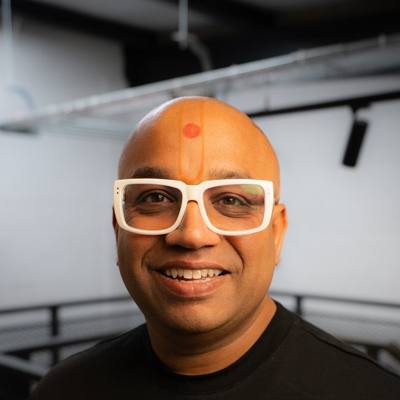 By Dr Bhavin Bhatt BDS MFGDP RCS (Eng) · GDC 76358
Updated November 2026
Patients do not believe what they cannot see. The right intraoral scanner is the one that lets the patient see, track and own their oral health. This scorecard judges scanners on the patient experience, not on accuracy.
Quick answer: judge a scanner on what it does for the patient. Educate: can the patient see their own mouth clearly? Engage: can you overlay this scan on last year's and show the change in colour? Empower: can the patient take their scans home and follow their own progress? Accuracy matters, but all current major scanners take accurate impressions; it is no longer what separates them.
Why the patient comes first
Dentistry's biggest problem is not impressions. It is that patients cannot see what we see, so they do not always believe or trust what we tell them. A scanner earns its place when it changes that: when the patient takes ownership of their oral health and responsibility for what happens next.
Think of Strava or Duolingo. Neither is valued for how precisely it measures. People use them because they can see their own progress, every time, and want to keep going. A digital-first scanner should do the same for teeth and gums.
Educate, Engage, Empower
- Educate: see it. The patient sees their own mouth, in colour and in 3D, and understands what they are looking at.
- Engage: discover it together. This visit's scan sits over the last one and the change shows in colour: wear, recession, movement. This is co-discovery: the dentist and the patient find it together.
- Empower: own it. The patient takes the evidence home, follows it over time and reaches the conclusion themselves: "I have this, and I want to deal with it." This is co-diagnosis, and it is the point of the whole exercise.
How to do this at the chair is covered in the free one-hour CPD module Educate, Engage, Empower: co-discovery and co-diagnosis.
The patient-first scorecard
What each scanner family's own published material says it offers for each pillar. There is no score and no winner: features vary by model, software version, licence and country, and the only real test is a demonstration with your own team and your own patients.
| Scanner family | Educate: see it | Engage: compare over time | Empower: the patient owns it |
|---|---|---|---|
| Medit | Medit Smile Design shows a possible future smile on the patient's photo, and Medit Ortho Simulation shows possible tooth movement. Medit states both are for communication, not diagnosis. | Medit Design (formerly Medit Compare) aligns and compares 3D scan datasets. Medit states its comparison results are for communication, education and design, not clinical measurement. | Medit Checkpoint lets the dentist select areas to discuss, add explanations and treatment plans, and share them with the patient straight after the assessment. |
| 3Shape TRIOS | TRIOS Dx Plus (TRIOS 6 scans) uses AI to highlight plaque, tooth wear, gingival recession and surface caries on the patient's own scan, and TRIOS also offers smile design and treatment simulation apps. | TRIOS Dx Standard (replacing TRIOS Patient Monitoring) compares scans from different visits, with difference maps, cross-sections and measurement tools. | The free 3Shape DentalHealth app lets patients see the scans and colour overlays their clinic shares, and compare past and current scans on their own phone. It can hold scans from more than one dentist. |
| iTero | iTero offers NIRI near-infrared imaging as an aid for interproximal caries, the Occlusogram colour map of bite contacts and the Invisalign Outcome Simulator. | iTero TimeLapse compares records over time, visualising tooth wear, tooth movement and gingival changes as an animation on screen. | Not found in the published material we reviewed. Ask the supplier to show you. |
| Primescan (Dentsply Sirona) | The DS Core Communication Canvas puts full-colour 3D scans, 2D and 3D X-rays together in one view for the patient, and DS Core includes a SureSmile aligner simulator. | The Communication Canvas lets the dentist arrange records side by side. A dedicated overlay-and-colour-map comparison tool was not found in the material we reviewed. | Dentists can share 2D images and intraoral scans with patients directly from the Communication Canvas (DS Core subscribers). |
| DEXIS | IS ScanFlow shows the scan chairside, and the IS Voyager trolley lets the clinician take the screen to the patient's side. | Oral Compare in IS ScanFlow automatically overlays multiple scans and shows a colour map of changes such as erosion, wear and recession. | Not found in the published material we reviewed. Ask the supplier to show you. |
| Shining 3D Aoralscan | Shining 3D offers an oral health report, ortho simulation, facially driven smile design and AI plaque assessment from scans. | MetronTrack measures and compares intraoral scan data, and Shining 3D describes tracking patient data to help patients understand oral changes. | Shining 3D describes one-click report sharing with the patient. |
| Straumann SIRIOS | SIRIOS X3 offers chairside smile previews personalised for each patient, and Straumann AXS connects to Smilecloud smile design. | The Scan Compare app is available in Straumann AXS for SIRIOS, with no obligatory licence fees listed. | Not found in the published material we reviewed. Ask the supplier to show you. |
"Not found" means we could not find it in the manufacturer's published material on 16 November 2026, not that it does not exist. Tell us if we have missed something and we will correct it: hello@digitalfirstdentistry.com.
The patient-first demo test
Ask every supplier to show you these with a real scan, not slides:
- Scan a patient and show them their own mouth in colour within a minute. Do they understand it without your help?
- Open last year's scan, overlay it and show the change as a colour map. How many clicks does it take?
- Show changes across three or more visits, like a timeline, not just two scans.
- Send the scan and the comparison to the patient's phone. What do they actually see at home?
- Can the patient compare their own scans over time without you?
- Who owns the data, and can the patient keep it if they move practice?
- What does each of these cost, and which need a subscription?
Where accuracy fits
Accuracy (trueness and precision) still matters for restorations and implants, and it is covered in the free CPD module on scanner accuracy. But it is the entry ticket, not the deciding factor. A perfectly accurate scanner that sits in a cupboard between cases changes nothing for the patient.
Compare families on the side-by-side table and the two-system comparisons, or read about scanner costs.
Sources
- Medit Design (Medit support)
- Medit Smile Design (Medit support)
- Medit Checkpoint (Medit)
- TRIOS 6, TRIOS Dx and DentalHealth app FAQ (3Shape)
- DentalHealth app overview (3Shape)
- iTero intraoral scanners (Align Technology)
- iTero solutions (iTero)
- What is new on DS Core (Dentsply Sirona)
- DS Core Communication Canvas (Dentsply Sirona)
- DEXIS IS ScanFlow (DEXIS)
- Visual approach to proactive care (DEXIS)
- Shining 3D dental toolkits (Shining 3D)
- Aoralscan 3 brochure (Shining 3D)
- Straumann SIRIOS portfolio (Straumann)
- Straumann 2026 launches (Straumann)
Independent: no manufacturer pays for this page and none is ranked above another. Facts checked 16 November 2026.
Common questions
What is the best intraoral scanner?
For digital-first dentistry, the best scanner is the one that lets your patients see their own mouth, compare scans over time and take their results home. Every major scanner takes accurate impressions; judge them on the patient experience and test it in a demonstration.
What do Educate, Engage and Empower mean?
Educate: the patient sees their own mouth. Engage: dentist and patient discover changes together by comparing scans over time. Empower: the patient owns the evidence and reaches the diagnosis with you.
Which scanners can compare scans over time?
Published tools include iTero TimeLapse, 3Shape TRIOS Dx (formerly Patient Monitoring), DEXIS Oral Compare, Medit Design, Shining 3D MetronTrack and Straumann Scan Compare. Features vary by model, version and country.
Get the white paper and the starter guide
Free. Enter your email and both open straight away.