Digital First Dentistry › Educate, Engage, Empower
Educate, Engage, Empower: co-discovery and co-diagnosis with intraoral scans
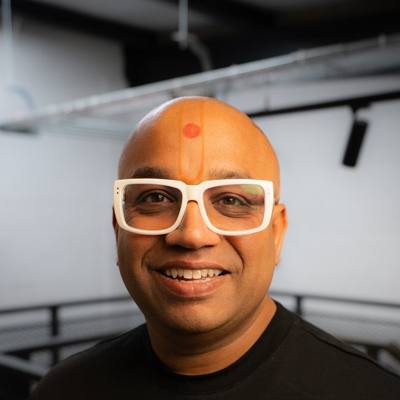 By Dr Bhavin Bhatt BDS MFGDP RCS (Eng) · GDC 76358
Updated November 2026
About this CPD
- Format
- Free online self-study, about 1 hour: this page, the required reading below, a five-question check and a short feedback form.
- CPD hours
- 1 hour of verifiable CPD
- Aim
- To help dental professionals use the intraoral scan as a shared tool with the patient, so that patients see their own oral health, discover change together with the clinician and take an informed part in decisions about their care.
- Objectives
- Explain why patients often do not act on findings they cannot see for themselves.
- Describe the three stages of Educate, Engage and Empower when using scans with patients.
- Use scans taken at different visits to show change over time in a way the patient understands.
- Relate co-discovery and co-diagnosis to valid consent, record keeping and the limits of what a scan shows.
- GDC development outcomes
- A: Effective communication with patients, the dental team and others across dentistry, including obtaining valid consent, dealing with complaints and raising concerns when patients are at risk.
- C: Maintenance and development of knowledge and skill within your field of practice.
- Provider and quality assurance
- Provided by Bhavin Associates Ltd (company 07713563). Quality assured by Dr Bhavin Bhatt BDS MFGDP RCS (Eng), GDC 76358, for Bhavin Associates Ltd. See how CPD is quality assured.
The problem the scanner solves
Most patients feel fine at their check-up. When a clinician describes a failing filling, early wear or a little recession, the patient has only the clinician's word for it. They cannot see what we see. Some will trust the advice; many will wait until something hurts or breaks, because nothing they can see tells them otherwise.
The intraoral scan changes that. It shows the patient their own mouth, in colour and in three dimensions, on a screen they can understand. Repeated at the next visit, it shows them how their mouth has changed. The aim is not to persuade. It is to let the patient see the same evidence the clinician sees, so that understanding and ownership come from the patient.
Educate, Engage, Empower
- Educate: help the patient see it. Turn the screen towards the patient. Orientate them first: "These are your top teeth, seen from above." Then show one finding at a time, in plain words. A patient who cannot tell which tooth they are looking at has learned nothing.
- Engage: discover it together (co-discovery). Place this visit's scan alongside, or over, the previous one. Many scanner software packages can show the difference as a colour map. Let the patient spot the change before you name it: "What do you notice about this edge compared with last year?" A finding the patient has noticed themselves carries more weight than one they were told about.
- Empower: the patient owns it (co-diagnosis). The clinician makes and records the diagnosis. Co-diagnosis means the patient understands it well enough to say, in their own words, "I have this, and this is what it means for me." From there, the patient weighs the options, including monitoring, with the evidence in front of them.
Think of how fitness or language-learning apps keep people engaged: they show each person their own progress, visit after visit. Scans taken over time can do the same for oral health, if the patient is shown them every time.
Showing change over time well
- Same conditions. Scan the same areas each time, with a bite record, so comparisons are fair.
- One finding at a time. Pick the one change that matters most this visit. Too many findings at once overwhelm and look like selling.
- Patient's words. Ask the patient to describe what they see. Correct gently if needed.
- Context, not alarm. Small changes may be normal for that patient. Say so. Monitoring is a legitimate option and should be offered where appropriate.
- Take-home. Where your software allows it, and with the patient's agreement, share images or the comparison so they can look again at home and discuss it with family.
Limits and safeguards
- A scan shows surfaces only. It does not show caries beneath the surface or bone levels, and it does not replace the clinical examination or justified radiographs.
- Colour difference maps depend on how scans are aligned. Small differences can come from scanning technique, not real change. Confirm clinically before calling something a finding.
- Comparison tools in many systems are described by their makers as communication aids, not measuring devices. Treat them that way.
- The diagnosis remains the clinician's responsibility. The patient's understanding supports valid consent; it does not replace the clinician's judgement.
Consent and records
Patients must be given the information they need to make decisions, including the risks of each option and of doing nothing (GDC Standards for the Dental Team, principle 3; the Montgomery judgment on material risks). Showing a patient their own scan is a strong way to meet this, provided options are balanced and include monitoring where appropriate.
Record what was shown, the patient's understanding in their own words where possible, the options discussed and the decision. Store scans and any shared images securely, in line with data protection law, and agree with the patient how anything shared with them will be sent.
Putting it into practice
For one month, choose one patient each day with a previous scan. Show one change, ask what they notice, and record their words. Review with the team at the end of the month: which explanations worked, and what patients chose to do.
Required reading
Read these short pages as part of this CPD:
- Patient-first scanner scorecard: Educate, Engage, Empower
- Routine intraoral scanning at the check-up (free CPD)
- Communicating scan findings (free CPD)
Doing this as a team? Send it to your nurses and hygienists: WhatsApp · Email
Check your learning
Answer all five questions. You need four correct to continue. You can try again.
Feedback and certificate
Your feedback is part of quality control and is required before your certificate is issued. Your name and GDC number appear on the certificate. We keep your feedback and details to manage CPD records; see the privacy notice.
Your certificate
Thank you. Your certificate is ready.
Keep it with your CPD record and personal development plan, and note which development outcomes it meets.
Share it: Post on LinkedIn · Send on WhatsApp
Managing existing restorations: monitor, repair or replace →
Get the white paper and the starter guide
Free. Enter your email and both open straight away.